


Earn more from every video and every article
Video ad formats built for publishers, from classic pre-roll to floating and in-article players.
Hit your target fill rate and CPM.
The Dejacast player is tuned for ad performance, with flexible delivery strategies and formats that work on your video pages and on your article pages. Bring your own VAST tags, connect your header bidding, or let us handle the settings and optimization for you.
Instream ads
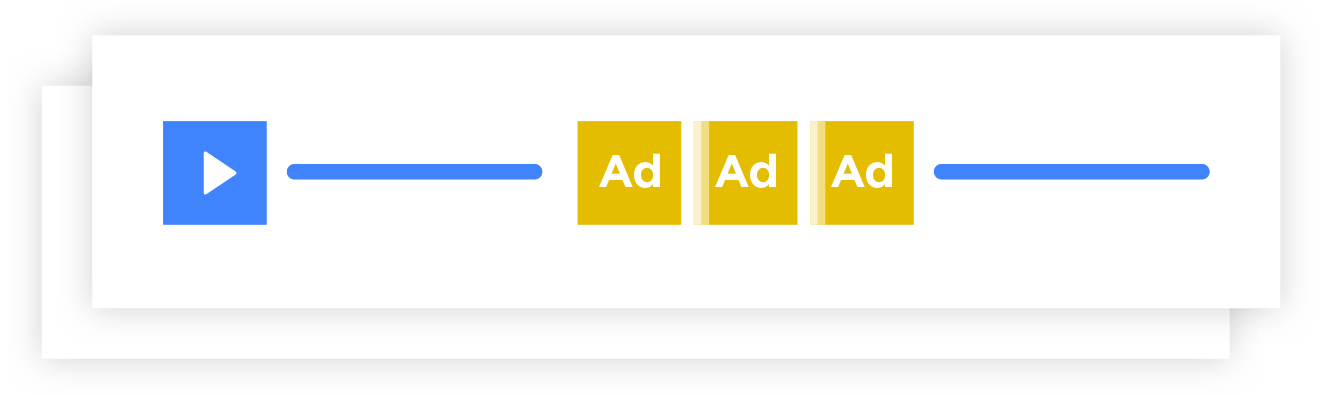
Pre-roll, mid-roll, post-roll and overlay ads around your video content.
Learn more →OmniFocus
A floating player that appears only when it has an ad to show.
Learn more →OmniView
Video ads inside your articles, with no video content needed.
Learn more →MultiAd
Repeated ad requests during an in-article video, with your own retry strategy.
OmniLink
A call-to-action button on top of your video, linking to an article, a product or a sign-up form.
Header bidding
The player asks your header bidding for a programmatic ad before using the ad tags in your dashboard.
Standard video ads, done right
Get your VAST tags, choose how many pre-roll, mid-roll and post-roll ads you want, and start earning. The player tracks IAB-standard impressions, events and clicks, and reports them to your ad server.
- VAST, VMAP and VPAID
- Mid-rolls at a set time or a percentage of the video
- Overlay ads on top of the video
- Choose what happens when a viewer uses an ad blocker
A floating player that maximizes ad frequency
OmniFocus keeps requesting ads in the background and only appears when a valid ad is received. After the ad, it plays your video while it looks for the next one, and hides itself when no more ads come in.
- Play a specific video, or a video from a show, between ads
- Fits any article page, without taking space when there's no ad

Video ads in your articles, no video needed
OmniView places video ads right in the flow of your articles, where readers pay attention. The player appears only to play an ad, so you can earn from pages that have no video at all.
- Outstream placement inside the text
- A fallback (passback) ad unit when no video ad is returned
- Reporting in your ad analytics

Start earning in four steps
Add your ad tags
Paste your VAST tags in the player's Advertising tab, or let us handle the settings and optimization for you.
Pick the formats
Choose instream ads, OmniFocus, OmniView or MultiAd for each player.
Embed
Add the player's embed code to your pages, and connect your header bidding if you use it.
Track
Follow impressions by format, player and domain in your ad analytics.
Frequently asked questions
Which ad standards does the player support?
VAST, VMAP and VPAID. Your ad server's VAST response should contain IAB-compliant tracking events; the player tracks them, with clicks, and reports them to your ad server.
Can I earn from pages without video?
Yes. OmniView shows video ads inside your articles without any video content, and OmniFocus floats on the page only when it has an ad to show.
Do you work with header bidding?
Yes. The player can ask your header bidding for a programmatic ad first, then fall back to the ad tags configured in your dashboard.
What happens when a viewer uses an ad blocker?
You choose, per player: don't load the player, or load it without autoplay so the viewer starts the video.
See Dejacast with your own content
Tell us what you publish and where you want it to earn. We'll walk you through the platform and plan your launch with you.